> For the complete documentation index, see [llms.txt](https://doc.moze.app/llms.txt). Markdown versions of documentation pages are available by appending `.md` to page URLs; this page is available as [Markdown](https://doc.moze.app/record/entry-mode.md).
# 記帳模式 🔖
📢 4.0 新功能|🔖 代表進階功能,新手可暫時略過
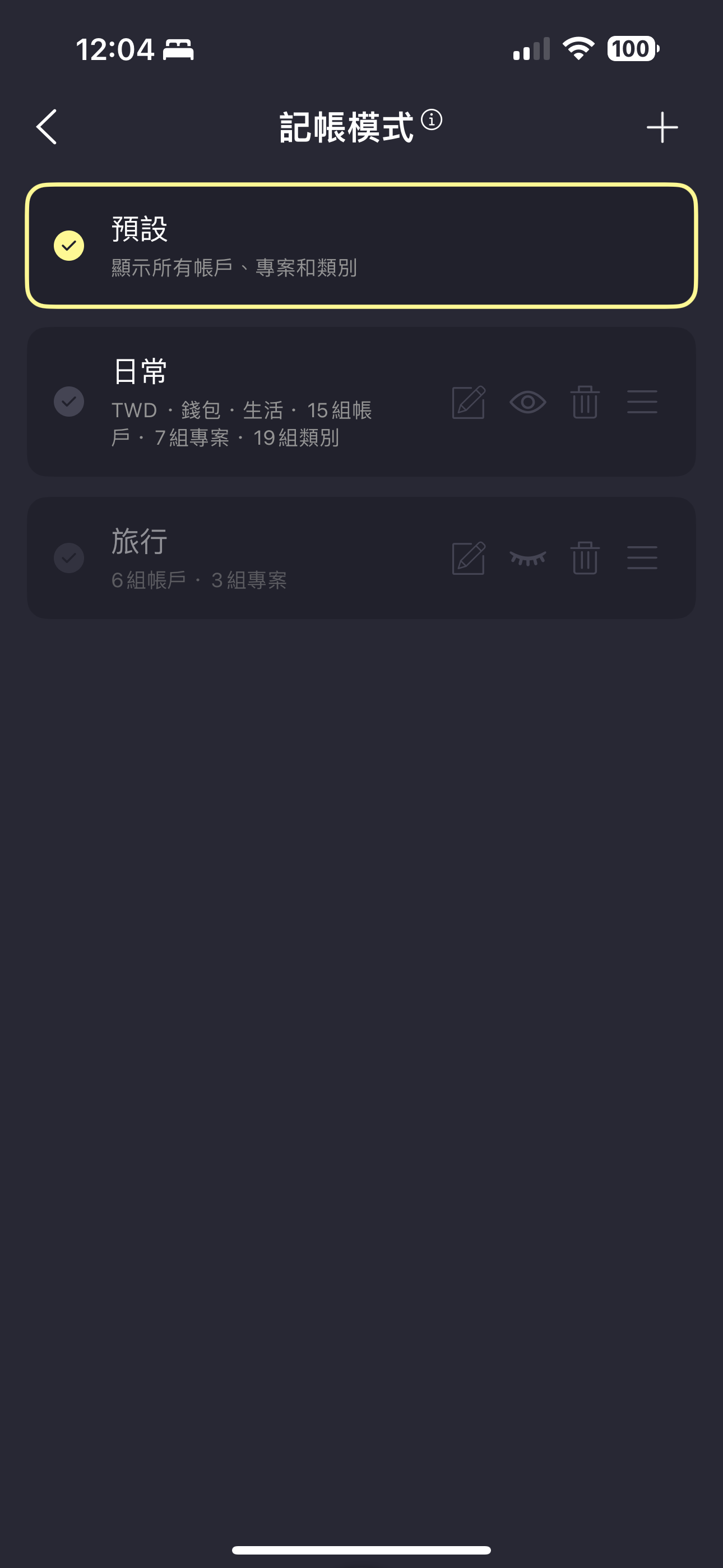
你可以依照不同情境定義記帳模式,例如日常、旅遊、工作模式等。每個模式可以自訂帳戶、專案和類別,讓你在指定模式下記帳時,看到的選項更明確。
點擊右上角進入新增模式頁面,你可以指定這個模式的預設幣種(例如去日本旅遊就設成日幣,記帳時就會預設以日幣記錄),以及預設帳戶、專案、類別等初始條件。也可以指定這個模式下記帳時的帳戶、專案和類別清單,選擇時會更快速方便。
建立好後勾選要使用的模式,之後記帳就會套用這個模式的設定。
因為剛建立的娛樂模式有定義類別清單,上方的類別頁籤就會出現自訂的類別內容供你選擇。
點進帳戶清單和專案清單,也只會顯示這個模式指定的內容,過濾掉目前情境下無關的選項。
除了從偏好設定變更記帳模式,你也可以長按首頁下方的+號按鈕,從記帳模式選單快速切換。
---
# Agent Instructions
This documentation is published with GitBook. GitBook is the documentation platform designed so that both humans and AI agents can read, navigate, and reason over technical content effectively. Learn more at gitbook.com.
## Querying This Documentation
If you need additional information that is not directly available in this page, you can query the documentation dynamically by asking a question.
Perform an HTTP GET request on the current page URL with the `ask` query parameter, and the optional `goal` query parameter:
```
GET https://doc.moze.app/record/entry-mode.md?ask=&goal=
```
`ask` is the immediate question: it should be specific, self-contained, and written in natural language.
`goal` is optional and describes the broader end goal you are ultimately trying to accomplish on behalf of the user. GitBook uses it to tailor the answer towards what is most useful for that goal.
The response will contain a direct answer to the question and relevant excerpts and sources from the documentation.
Use this mechanism when the answer is not explicitly present in the current page, you need clarification or additional context, or you want to retrieve related documentation sections.