# 離線模式

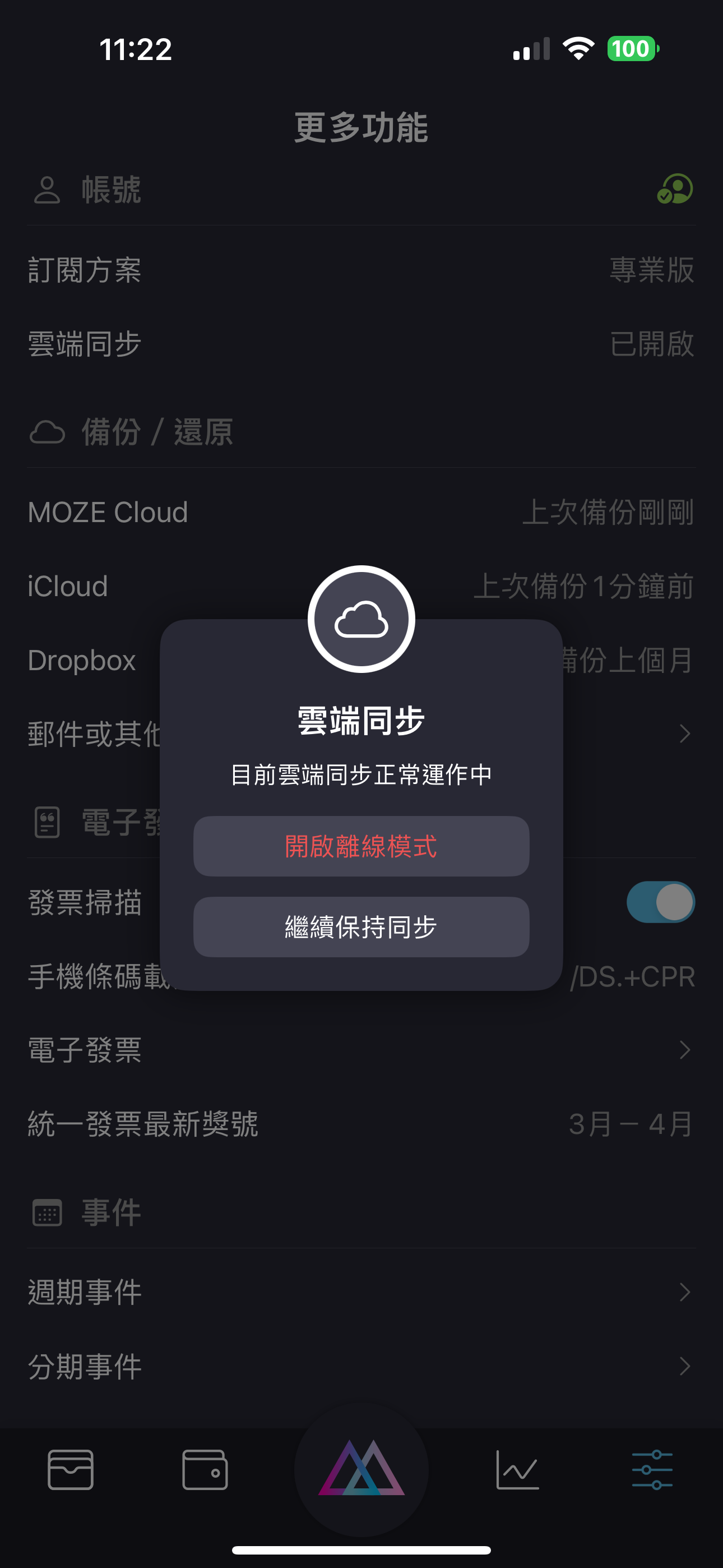
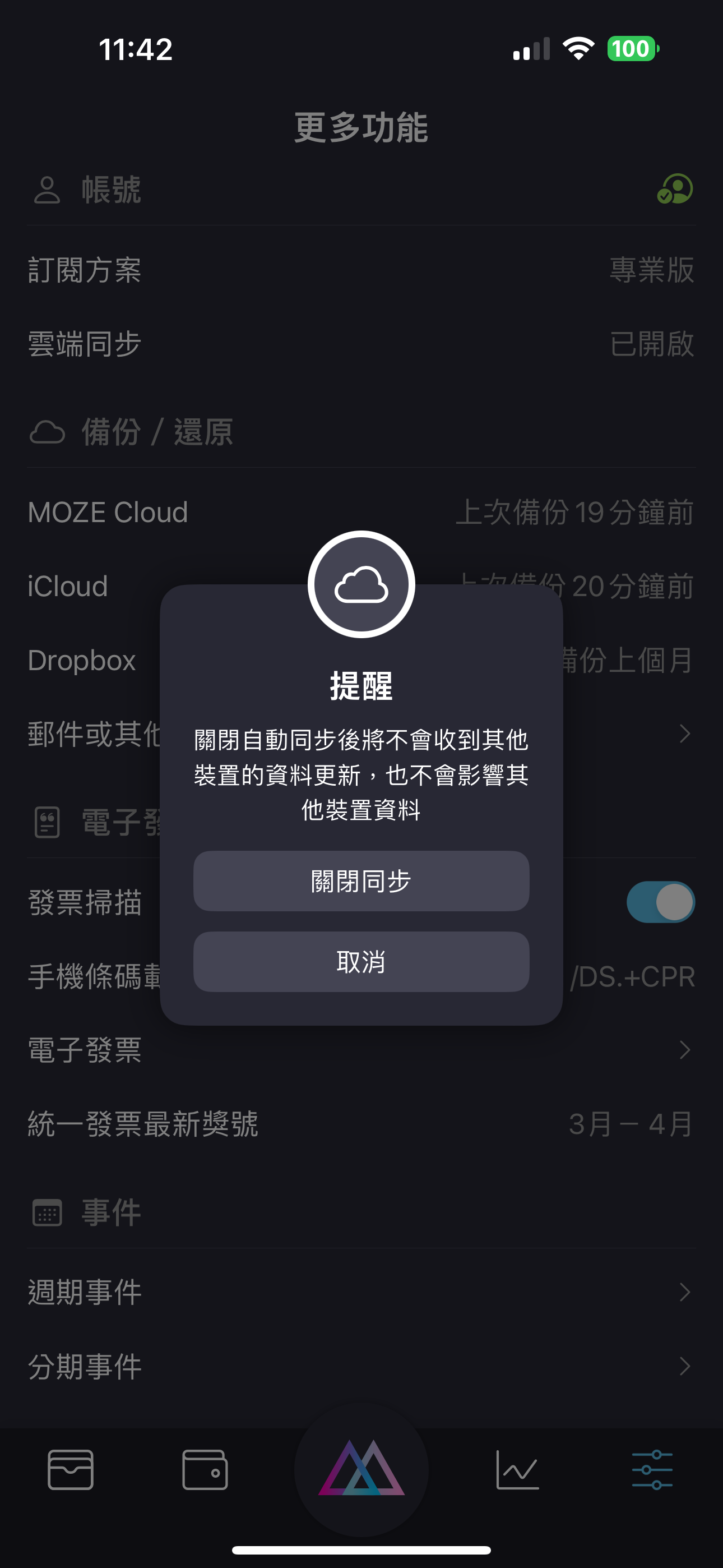
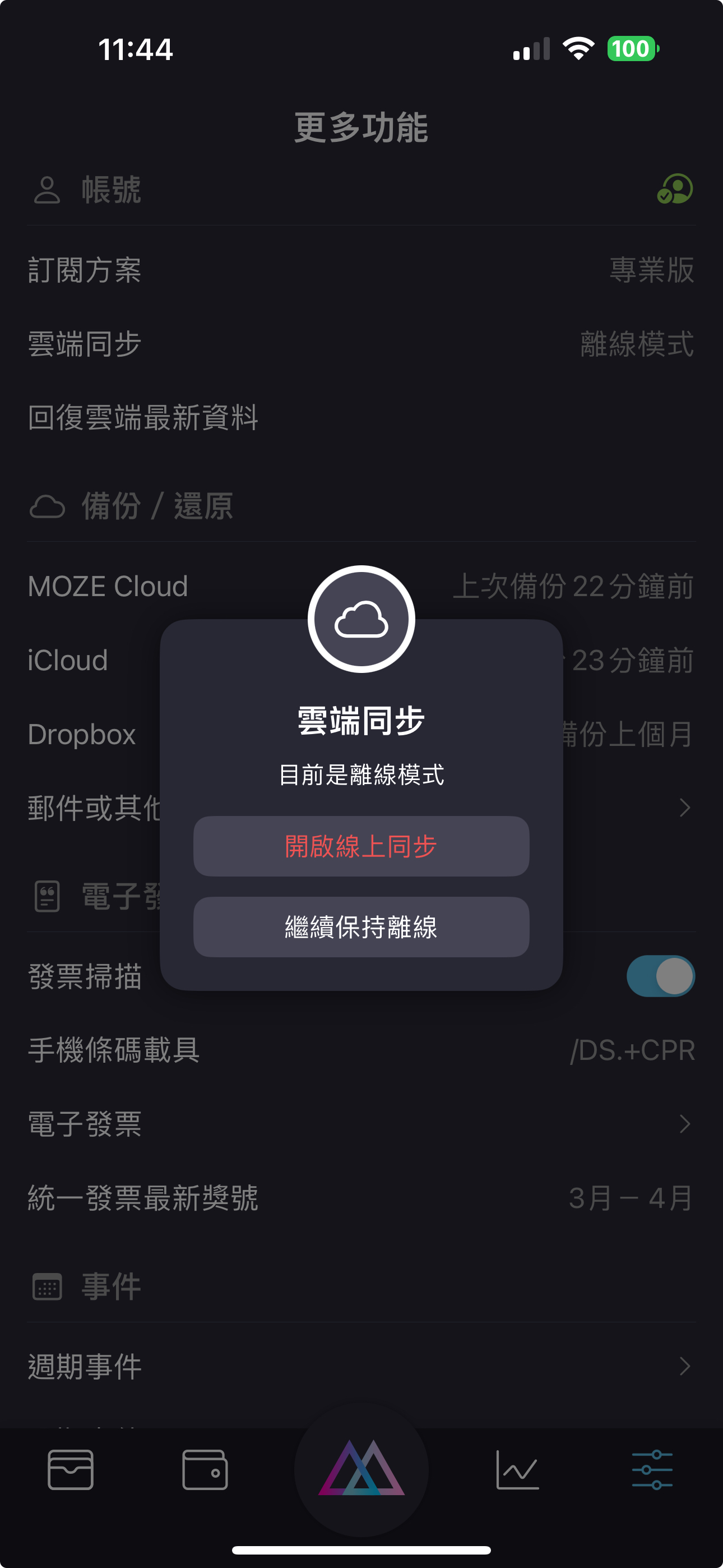
如果你發現帳目有問題，想要花點時間對帳調整，又怕改動的資料會影響線上的資料，你可以點擊雲端同步選項去開啟**離線模式**。

<figure><img src="https://moze-app.gitbook.io/~gitbook/image?url=https%3A%2F%2F1288939771-files.gitbook.io%2F%7E%2Ffiles%2Fv0%2Fb%2Fgitbook-x-prod.appspot.com%2Fo%2Fspaces%252F-MFO00cpqCmZCSlaky55%252Fuploads%252F25t4K1VN1dhy1pWIyOaZ%252FIMG_8105.PNG%3Falt%3Dmedia%26token%3D55aa331c-c1f5-4d4d-8662-c5036fbfefc4&#x26;width=768&#x26;dpr=4&#x26;quality=100&#x26;sign=e59a734d&#x26;sv=2" alt="" width="375"><figcaption></figcaption></figure>

<figure><img src="https://moze-app.gitbook.io/~gitbook/image?url=https%3A%2F%2F1288939771-files.gitbook.io%2F%7E%2Ffiles%2Fv0%2Fb%2Fgitbook-x-prod.appspot.com%2Fo%2Fspaces%252F-MFO00cpqCmZCSlaky55%252Fuploads%252Flz3B44JDmGJtVHYRvG8g%252FIMG_8106.PNG%3Falt%3Dmedia%26token%3Dfa03d054-73fd-4ef6-887b-dba1b2c6e31f&#x26;width=768&#x26;dpr=4&#x26;quality=100&#x26;sign=45cbb10&#x26;sv=2" alt="" width="375"><figcaption></figcaption></figure>

等你整理好帳目後，確定要把這份資料同步到雲端，可以再次開啟線上同步功能即可。

<figure><img src="https://moze-app.gitbook.io/~gitbook/image?url=https%3A%2F%2F1288939771-files.gitbook.io%2F%7E%2Ffiles%2Fv0%2Fb%2Fgitbook-x-prod.appspot.com%2Fo%2Fspaces%252F-MFO00cpqCmZCSlaky55%252Fuploads%252FWIxppnpLtTcajOx3PUvN%252F%25E7%25AB%258B%25E5%258D%25B3%25E6%2596%25B0%25E5%25A2%259E%25E4%25B8%2580%25E7%25AD%2586%25E8%25A8%2598%25E9%258C%2584%252010.jpeg%3Falt%3Dmedia%26token%3D7e921b61-1d3e-4095-abfe-6535f3ae253e&#x26;width=768&#x26;dpr=4&#x26;quality=100&#x26;sign=880f12c4&#x26;sv=2" alt="" width="375"><figcaption></figcaption></figure>

<figure><img src="https://moze-app.gitbook.io/~gitbook/image?url=https%3A%2F%2F1288939771-files.gitbook.io%2F%7E%2Ffiles%2Fv0%2Fb%2Fgitbook-x-prod.appspot.com%2Fo%2Fspaces%252F-MFO00cpqCmZCSlaky55%252Fuploads%252F7G7fbGkfaxg6aYYYL7Ma%252FIMG_8107.PNG%3Falt%3Dmedia%26token%3D37da9ce8-e01d-4bb8-98e5-d33e766c849d&#x26;width=768&#x26;dpr=4&#x26;quality=100&#x26;sign=cf21b8f1&#x26;sv=2" alt="" width="375"><figcaption></figcaption></figure>

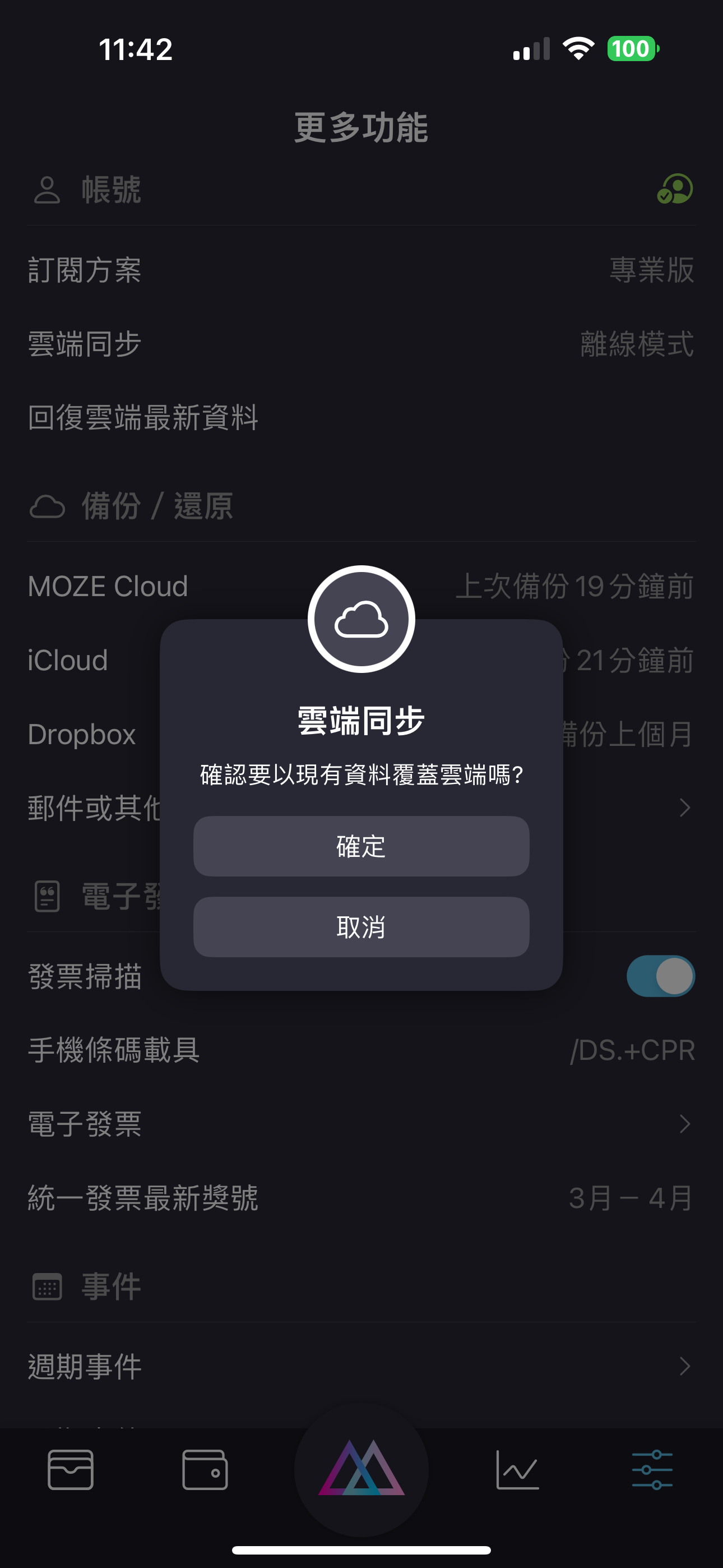
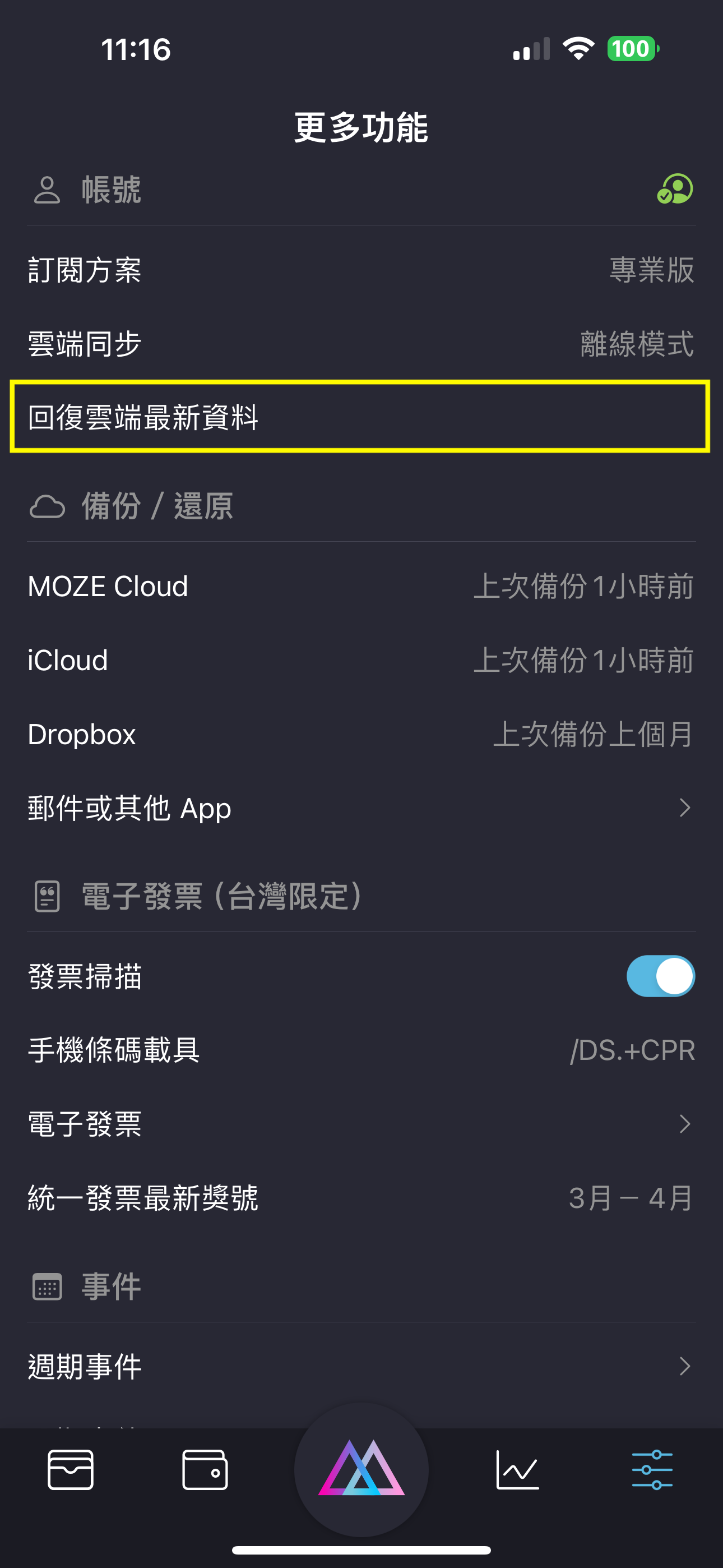
在離線模式下，你也可以隨時回復到雲端最新資料，點擊這個選項後，雲端同步也會自動開啟。

<figure><img src="https://moze-app.gitbook.io/~gitbook/image?url=https%3A%2F%2F1288939771-files.gitbook.io%2F%7E%2Ffiles%2Fv0%2Fb%2Fgitbook-x-prod.appspot.com%2Fo%2Fspaces%252F-MFO00cpqCmZCSlaky55%252Fuploads%252FN696NRX6Qrfgt8EIQTjH%252FIMG_8096.PNG%3Falt%3Dmedia%26token%3De620e4c5-4db4-4617-9ee3-e09648b8da0a&#x26;width=768&#x26;dpr=4&#x26;quality=100&#x26;sign=b889db89&#x26;sv=2" alt="" width="375"><figcaption></figcaption></figure>

#### &#x20; <a href="#deng-chu-shan-chu-zhang-hao" id="deng-chu-shan-chu-zhang-hao"></a>


---

# Agent Instructions: Querying This Documentation

If you need additional information that is not directly available in this page, you can query the documentation dynamically by asking a question.

Perform an HTTP GET request on the current page URL with the `ask` query parameter:

```
GET https://doc.moze.app/sync/offline.md?ask=<question>
```

The question should be specific, self-contained, and written in natural language.
The response will contain a direct answer to the question and relevant excerpts and sources from the documentation.

Use this mechanism when the answer is not explicitly present in the current page, you need clarification or additional context, or you want to retrieve related documentation sections.